เลือกสีผม สีตา และสีผิวได้เองทุกเฉด ดูตัวอย่างบนตัวละครได้ฟรี จ่ายด้วย Gold เมื่อกดย้อมจริง ทรงผมทูโทนย้อมสีผมรองแยกได้
Pick any shade for your hair, eyes and skin. The preview is free, you pay Gold when you dye. Two-tone hairs can dye their second colour too.
วิธีย้อมสี
อยู่ในเมือง แล้วเปิด Cash Shop (กด F11) ไปที่เมนู Style ทางซ้าย
- ใช้ได้เฉพาะในเมือง ในดันเจี้ยนจะกดใช้สีไม่ได้
เลือกสิ่งที่จะย้อม: Hair Dye (สีผม), Eyes Dye (สีตา) หรือ Skin Dye (สีผิว)
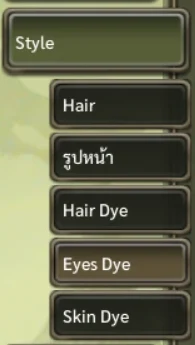
เมนูย้อมสีอยู่ท้ายหมวด Style เลือกสีที่ชอบ ตัวละครทางขวาจะเปลี่ยนสีให้ดูทันที
- แถบสีรุ้งแนวตั้ง: เลือกโทนสี
- กล่องสีใหญ่: ลากเพื่อปรับความสดและความสว่าง
- ช่อง # / R / G / B: ใส่รหัสสีได้ตรง ๆ เช่น 7213F5
- Presets: สีสำเร็จรูป กดเลือกได้เลย
- Recent: สีที่เพิ่งใช้ไป จำไว้จนกว่าจะปิดเกม
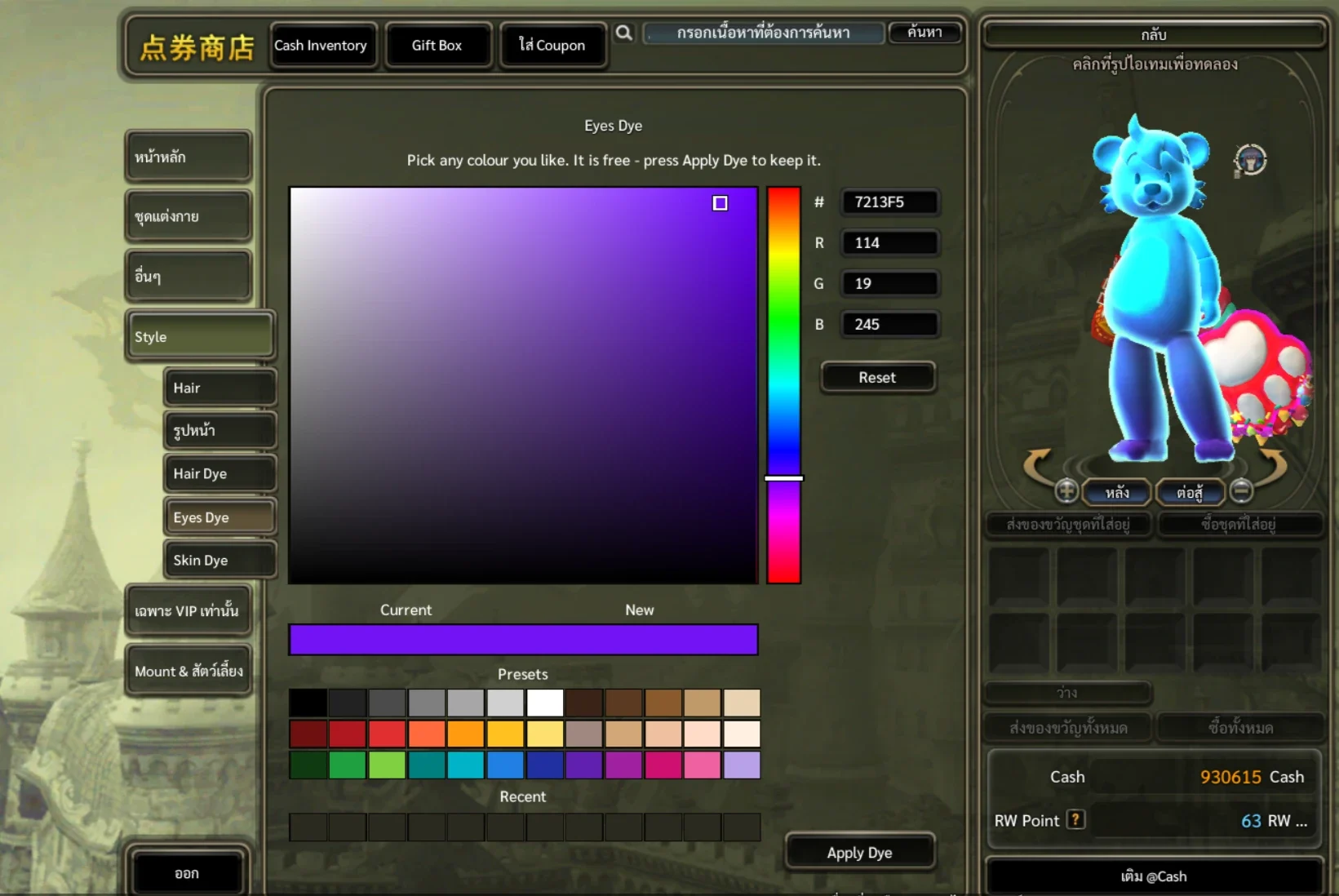
หน้าต่างเลือกสี — แถบสีตรงกลาง ช่องรหัสสีด้านขวา และสีสำเร็จรูปด้านล่าง หน้า Hair Dye มีปุ่ม สีผมหลัก และ สีผมรอง กดเลือกสีที่จะย้อมก่อน แต่ละสีย้อมและจ่ายแยกกัน
- สีผมรองใช้ได้เฉพาะทรงผมทูโทน ถ้าทรงผมมีสีเดียวจะกดปุ่มนี้ไม่ได้
พอใจแล้วกดปุ่มย้อมสีด้านล่าง ปุ่มจะบอกราคา สีใหม่จะถูกบันทึกทันที
How to dye
In town, open the Cash Shop (F11) and go to Style on the left.
- Town only — it does not work inside dungeons
Choose what to dye: Hair Dye, Eyes Dye or Skin Dye.
The dye entries sit at the end of the Style list. Pick a colour — the character on the right changes straight away so you can see it.
- The vertical rainbow bar picks the hue
- The big square sets saturation and brightness
- # / R / G / B: type an exact colour code, e.g. 7213F5
- Presets: ready-made colours, one click
- Recent: colours you just applied, kept until you close the game
The picker — colour field in the middle, colour codes on the right, presets below. Hair Dye has two buttons, main colour and second colour. Choose which one to dye first; each is dyed and paid for separately.
- The second colour only works on two-tone hairs; on other hairs the button is disabled
Happy with it? Press the dye button at the bottom, it shows the price. The new colour is saved at once.
ยังไม่อยากเปลี่ยน?
กดปุ่ม Reset เพื่อกลับไปสีที่ใช้อยู่ตอนนี้
- ถ้าไม่กดย้อมแล้วปิดหน้าต่างไป สีของตัวละครจะไม่เปลี่ยน และไม่เสีย Gold
Changed your mind?
Press Reset to go back to the colour you have now.
- Closing the window without dyeing leaves your character unchanged and costs no Gold